Somewhere between your third and tenth smart device, a question tends to surface: do I need one of those hub things everyone keeps mentioning? The answer is a genuine "it depends," and the good news is that the factors deciding it are easy to understand once someone lays them out plainly.
A smart home hub is one of the more misunderstood pieces of the whole setup, partly because you can absolutely start without one and partly because there's a real point at which it quietly makes everything better. Let's sort out what a hub does, when you can skip it, and the signs it's time to add one.
What a hub actually does#
A smart home hub is, at heart, a translator and a coordinator. Different smart devices speak different wireless languages, and a hub is the device that understands several of them at once, letting gadgets that otherwise couldn't communicate work together as one system.
Think of a small gathering where guests speak different languages. Without an interpreter, they can only talk to others who happen to share their tongue. A hub is the interpreter in the middle, so a sensor speaking one protocol can trigger a light speaking another. It connects to your router, sits quietly on a shelf, and does its coordinating in the background.
Many hubs also add a second, subtler job: they process automations locally, right there in your home, instead of sending everything out to a distant server and waiting for a reply. That local handling is behind several of the advantages we'll get to.
When you don't need one#
Plenty of people run a happy smart home with no dedicated hub at all, and for a small or simple setup, that's completely fine. Wi-Fi devices connect straight to your router and need no extra box, so a handful of Wi-Fi bulbs, plugs, and a camera can work perfectly well on their own.
You can often skip a hub if:
- You have only a few devices and don't plan to add many more.
- Everything you own connects over Wi-Fi and works through its own app.
- A smart speaker or display is already acting as a light coordinator for basic voice control and simple routines.
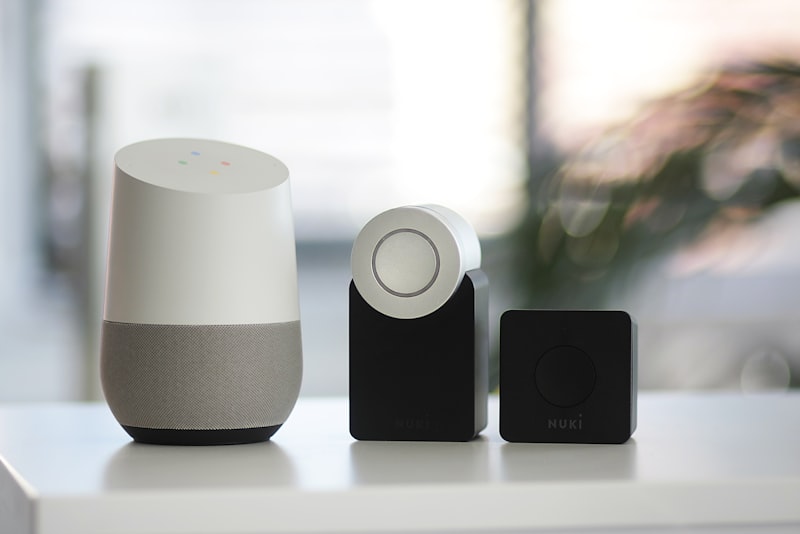
That last point is worth noting. Some smart speakers and displays include hub features built in, quietly handling certain device standards without a separate box. If you're starting small, one of those can cover you for a while, which is one reason our guide to choosing a smart speaker for your home is a sensible early read. For a starter setup, don't buy a hub you don't yet need.
The signs you've outgrown Wi-Fi-only#
The case for a hub grows as your home does, and a few frustrations tend to show up together once you pass a certain number of devices.
- Your Wi-Fi feels crowded. Every Wi-Fi gadget is another device on your network, and a home with dozens of them can strain an ordinary router. Hub-based devices use low-power wireless standards instead, taking that load off your main network.
- Devices are slow or flaky. Wi-Fi devices scattered around the house can struggle at the edges of your coverage. Many hub protocols form a mesh, where devices relay signals for each other, so range and reliability actually improve as you add more.
- You want everything in one place. Juggling a separate app for every brand gets old fast. A hub often lets you control mixed devices from one app and build automations that cross brands.
- You want automations that don't depend on the internet. This one matters more than people expect.
There's a maintenance angle worth adding, too. With everything on Wi-Fi, each brand's app is its own island, and updating, troubleshooting, or rebuilding an automation means hopping between them. A hub tends to pull that into one place, so when something misbehaves you have a single spot to look rather than a scavenger hunt across half a dozen apps. For a large setup, that consolidation saves real time and frustration.
That last point about local automations deserves its own moment, because it's where a hub quietly proves its worth.
Reliability and privacy, the quiet wins#
When automations run in the cloud, they depend on your internet connection and on a company's servers being up. Lose your connection, and a cloud-dependent light may not respond to its own motion sensor, because the signal has nowhere to go. A hub that processes automations locally keeps many of those routines running inside your home regardless of what's happening outside it.
The night my internet went down and the motion-activated hallway light still worked was the night I understood hubs. The trigger, the logic, and the light were all talking to each other locally, through the hub, with no round trip to a server. That's not a luxury; for anything you rely on, like security or lighting a dark stairway, it's the difference between a smart home and a fragile one.
There's a privacy angle too, and it's a pleasant one. When a hub handles things locally, less of your day-to-day activity needs to travel to outside servers. Fewer signals about when you come and go, when doors open, when rooms are occupied, leaving your home. It's not a magic shield, and you should still use strong, unique passwords and two-step verification on the accounts involved, but keeping more of the processing in your own house is a genuine step toward keeping your home's habits your own.
Choosing a hub, if you get one#
If you've decided a hub earns its place, a few things make the choice easier. Look at which wireless standards it supports, and match those to the devices you own or want, since a hub is only useful for the languages it speaks. Favor hubs that support the newer cross-brand standards designed to let devices from different makers cooperate, because that hedges against being locked to one company.
Consider how much runs locally versus in the cloud, since that shapes both reliability and privacy. And think about the app and interface you'll actually live in day to day, because you'll spend more time there than you expect. A hub with strong device support but a miserable app is a daily irritation.
You don't have to decide any of this today. A smart home is built one useful piece at a time, and the hub question tends to answer itself when the frustrations above start piling up. Until then, enjoy your smart bulbs and plugs on Wi-Fi, add devices as they solve real problems, and bring in a hub when your home is big enough to thank you for it. The best setup isn't the one with the most gear; it's the one that quietly works, and a hub is simply the tool that keeps it working as it grows.