The router is the quiet center of a smart home. Every light, plug, speaker, thermostat, and camera leans on it, usually without you thinking about it at all — until something starts dropping out. And more often than people expect, the fix isn't a new router or a faster plan. It's where the router is sitting.
Radio signals don't care about your floor plan. They spread out from the router, fade with distance, and get absorbed or bounced by whatever they pass through. Move the box a few feet, lift it off the floor, or pull it out of a cabinet, and you can change how the whole house connects. Here's how to find a spot that gives you strong, even coverage without spending a cent.
Aim for the center of your home#
Picture the signal as a bubble that grows outward from the router in every direction. If you put the router in a far corner or against an outside wall, half of that bubble is spilling into your neighbor's yard or the street, doing you no good. Put it near the middle of the space instead, and the coverage wraps around your rooms far more evenly.
Central doesn't have to mean the exact geographic center. It means roughly in the middle of where you actually use Wi-Fi — the rooms with the phones, the TVs, the smart displays, the cameras. If your home is long and narrow, the middle of the long axis matters most. If you live over two floors, a spot on the upper part of the lower floor often serves both levels better than the basement.
The catch is that routers usually get installed wherever the internet cable enters the house, which is frequently a corner or a utility closet. That's convenient for the installer, not for your coverage. You can often move the router with a longer cable or by relocating the connection point, and it's one of the highest-value changes you can make.
Get it up and out in the open#
A router hidden inside a media cabinet, behind the TV, or in a drawer is a router working with one hand tied behind its back. Solid surfaces around it absorb signal, and being down low means it has to push through more furniture to reach the rest of the room.
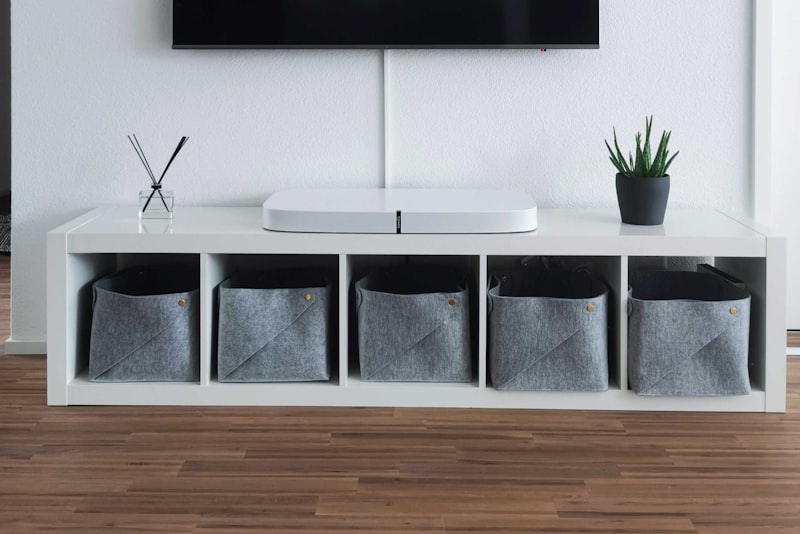
Lift it up. A shelf, a wall mount, or the top of a bookcase all beat the floor. Signal tends to spread down and out more easily than it climbs, so a router placed high has a head start on reaching the far corners. Give it some breathing room too — a few inches of open air on each side helps it shed heat and radiate cleanly.
If your router has external antennas, a common approach is to point some of them straight up and angle others outward. Vertical antennas favor coverage across a single floor; tilting a couple helps the signal reach up or down between levels.
Keep it visible and accessible while you're at it. You'll occasionally need to restart it or read the label, and a router you can actually reach is one you'll maintain instead of ignore.
Mind what's between the router and your devices#
Plain distance weakens Wi-Fi gradually. Certain materials weaken it much faster, and knowing which ones helps you place the router with a clear path to the rooms that matter. From least to most disruptive, roughly:
- Drywall, wood, and glass — mild effect, signal passes through easily
- Brick, plaster, and tile — noticeable drop, especially older thick walls
- Concrete and stone — strong barrier that can cut coverage hard
- Metal and water — the worst offenders, including filing cabinets, large mirrors, refrigerators, and even fish tanks
A few household electronics can add noise on the same frequencies, too. Microwave ovens and some older cordless phones are the classic culprits, and they tend to interfere most while running. You don't need to rearrange your kitchen around the router, but keeping a little distance between the router and a microwave or a big metal appliance is a smart, free habit.
If a single stubborn wall stands between your router and a room you care about, angling the router so the signal travels through the wall at less of a sharp angle can help. So can simply shifting the router a foot or two to route around the obstacle rather than straight through it.
Match the placement to where devices live#
Coverage is only useful where you actually have gadgets. A doorbell camera at the front of the house, a garage sensor, a backyard speaker, an office full of video calls — these are the pressure points. Walk through your home and note where the demanding or hard-to-reach devices sit, then bias the router's location toward them.
Battery-powered smart-home sensors and older plugs often connect on the slower, longer-range 2.4GHz band, which reaches farther but is easier to crowd. Newer phones, laptops, and streaming boxes prefer the faster 5GHz band, which is quicker but fades sooner. If you want to understand which of your gadgets uses what — and why some hang on at the edge of the house while others won't — it's worth reading up on 2.4GHz vs 5GHz Wi-Fi for smart devices. The short version: place the router so the farthest-flung devices still have a fighting chance, and let the closer ones sort themselves out.
Test it, then trust what you measure#
Guessing about coverage is a waste of an afternoon. Measuring takes minutes. Grab a phone, open a simple speed test, and walk from room to room, jotting down what you see. Pay attention to the spots that felt weak — the far bedroom, the garage, the patio — and compare a few candidate router locations.
Do a few things while you test:
- Restart the router after moving it, then wait a minute before checking.
- Test in the same handful of rooms each time so the numbers are comparable.
- Stand where your problem devices actually are, not just where it's convenient.
- Try one change at a time — location, then height — so you know what helped.
If you shuffle the router around and still have dead zones in a larger or oddly shaped home, that's a real signal that placement alone won't cut it, and it may be time to consider whether you need extra hardware. Before you buy anything, it's worth thinking through whether a mesh Wi-Fi system makes sense for your home rather than a single more powerful router.
Good placement is one of those small efforts that pays off every day, silently, for as long as you live there. Spend twenty minutes finding the right shelf, point the antennas sensibly, keep the metal and microwaves at arm's length, and your whole smart home gets steadier. It's the least glamorous upgrade you can make — and one of the few that genuinely costs nothing.